
Go to Windows platform Display platforms icon
Go to Windows platform Go to Mac platform Go to Android platform Go to iOS platform
Kdenlive icon

Kdenlive

26.04.2
5 1 reviews
35.5 k downloads
security security

Open, professional video editing for everyone

Advertisement
Remove ads and more with Turbo
Advertisement
Remove ads and more with Turbo
Nelson de Benito icon
Reviewed by
Nelson de Benito
Content Strategist
Nelson de Benito is part of Uptodown's in-house Editorial Team. Translated by Uptodown Localization Team

Kdenlive is an open-source video editor built for creators who want full control over their projects without restrictive licenses or unnecessary limitations. With many years of active development behind it, the software feels mature, reliable, and flexible enough for both beginners and experienced editors.

A workspace that adapts to your workflow

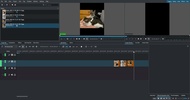
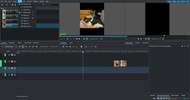
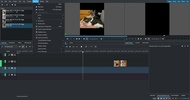
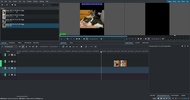
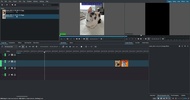
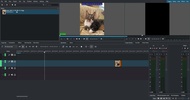
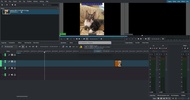
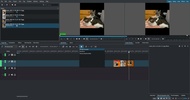
Editing in Kdenlive revolves around a powerful multi-track timeline. Video and audio tracks can be organized freely, muted, hidden, or grouped as needed. The interface is highly customizable, allowing you to save different layouts depending on whether you’re cutting footage, adding effects, or working on audio.

Advertisement
Remove ads and more with Turbo

True format compatibility

By relying on FFmpeg, Kdenlive can handle almost any video or audio format directly. There’s no need to convert files beforehand, which makes working with mixed media sources much smoother and more efficient.

Tools that support creative storytelling

The built-in title editor, wide range of effects, and support for vector-based animations make it easy to enhance your videos without external tools. Multi-camera editing is also available, simplifying projects that involve footage from multiple angles.

Technical control when it matters

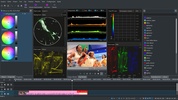
For more advanced users, Kdenlive includes video and audio analysis tools to fine-tune image quality and sound levels. Proxy editing and timeline preview options help keep playback smooth, even on less powerful systems.

Subtitles and project safety

Automatic subtitle generation from audio, including translation options, adds extra value for modern workflows. Automatic project backups ensure that your work is protected as you edit. Download Kdenlive and work with a video editor that values openness, control, and long-term reliability.

Information about Kdenlive 26.04.2

Basic information

Developer Kdenlive
Category Edition
Rating All ages
Languages English

Distribution model

Pricing Free
License Owner
Copyright © 2026 Kdenlive
Why is this app published on Uptodown? (More information)

Security and privacy

Required permissions Not applicable
See security and antivirus report

Download info

Downloads 35,502
Date Jun 6, 2026
File type EXE
Size 127.96 MB
SHA256 a9fc060aa7d026126dc68bb24d0f5adb4f610a3d91bf6775daaf25fd1bd63145
Advertisement
Remove ads and more with Turbo

Older versions

See more
exe 26.04.1 May 9, 2026
exe 26.04.0 Apr 27, 2026
exe 25.12.3 Mar 9, 2026
exe 25.12.2 Feb 9, 2026
exe 25.12.1 Jan 16, 2026
exe 25.12.0 Dec 19, 2025
Available for other platforms

Rate this App

Review the app
Kdenlive icon

Rating

5.0
5
4
3
2
1
1 reviews

Comments

There are no opinions about Kdenlive yet. Be the first! Comment

Advertisement
Remove ads and more with Turbo
Avidemux icon
Edit, compress, and convert videos for free
Olive icon
Video editing and color management with nodes
OpenShot Video Editor icon
A powerful and easy-to-use video editor
VidCutter icon
Easy and practical video editing for Windows
CapCut icon
Incredibly powerful and easy-to-use video editor
Adobe After Effects icon
The most advanced video-editing tool from Adobe
Adobe Premiere Pro icon
Video editing for professionals and beginners
VEGAS Pro icon
Professional video editing accessible to all
Psiphon icon
Much more than just a VPN
FormatFactory icon
Conversion between video, sound and image formats
VLC Media Player icon
A powerful media player and streaming server
OP Auto Clicker icon
Automate mouse clicks on your computer
Brave Browser icon
A comfortable and secure ad-free browser
Open Interpreter icon
An AI agent for managing your documents on PC
Stability Matrix icon
A manager for centralizing and installing various image creation engines
Eigent icon
A complete team of AI agents at your service
CapCut icon
Incredibly powerful and easy-to-use video editor
FormatFactory icon
Conversion between video, sound and image formats
HEVC Video Extensions from Device Manufacturer icon
Play HEVC (H.265) encoded videos on Windows
VLC Media Player icon
A powerful media player and streaming server
Adobe After Effects icon
The most advanced video-editing tool from Adobe
SSuite Free TV-App icon
Streamlined TV-app magic, transforms any PC into a sleek viewing hub!
Adobe Premiere Pro icon
Video editing for professionals and beginners
VEGAS Pro icon
Professional video editing accessible to all